Sticky to-do notes for macOS
Keep tasks visible until they are done.
Tildone gives you simple desktop notes for the lists you want in front of you while you work. Check tasks off as you go, minimize notes when you need space, and let finished notes fade away.
- Create unlimited sticky notes and task lists
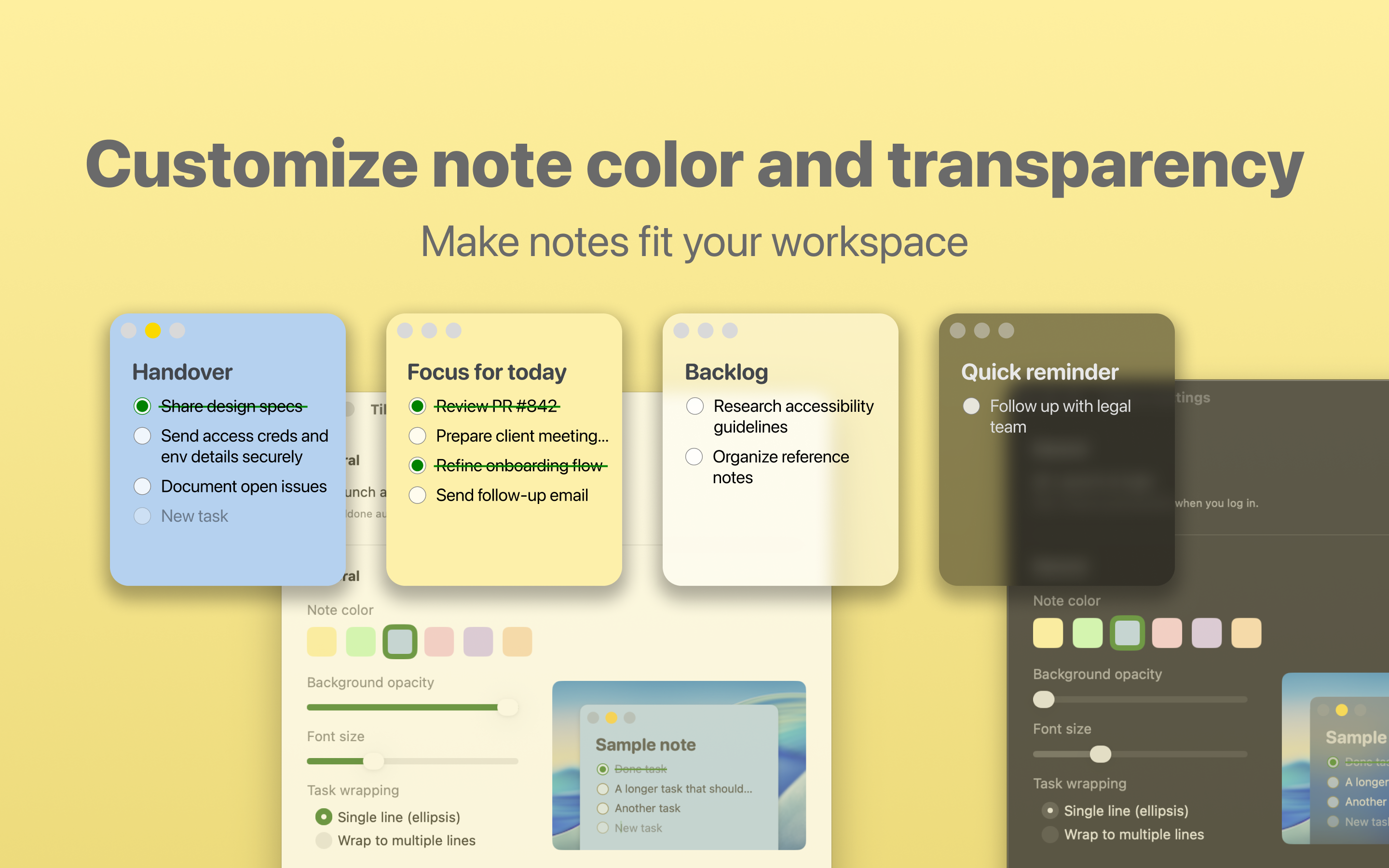
- Adjust colors, transparency, text size, and note visibility
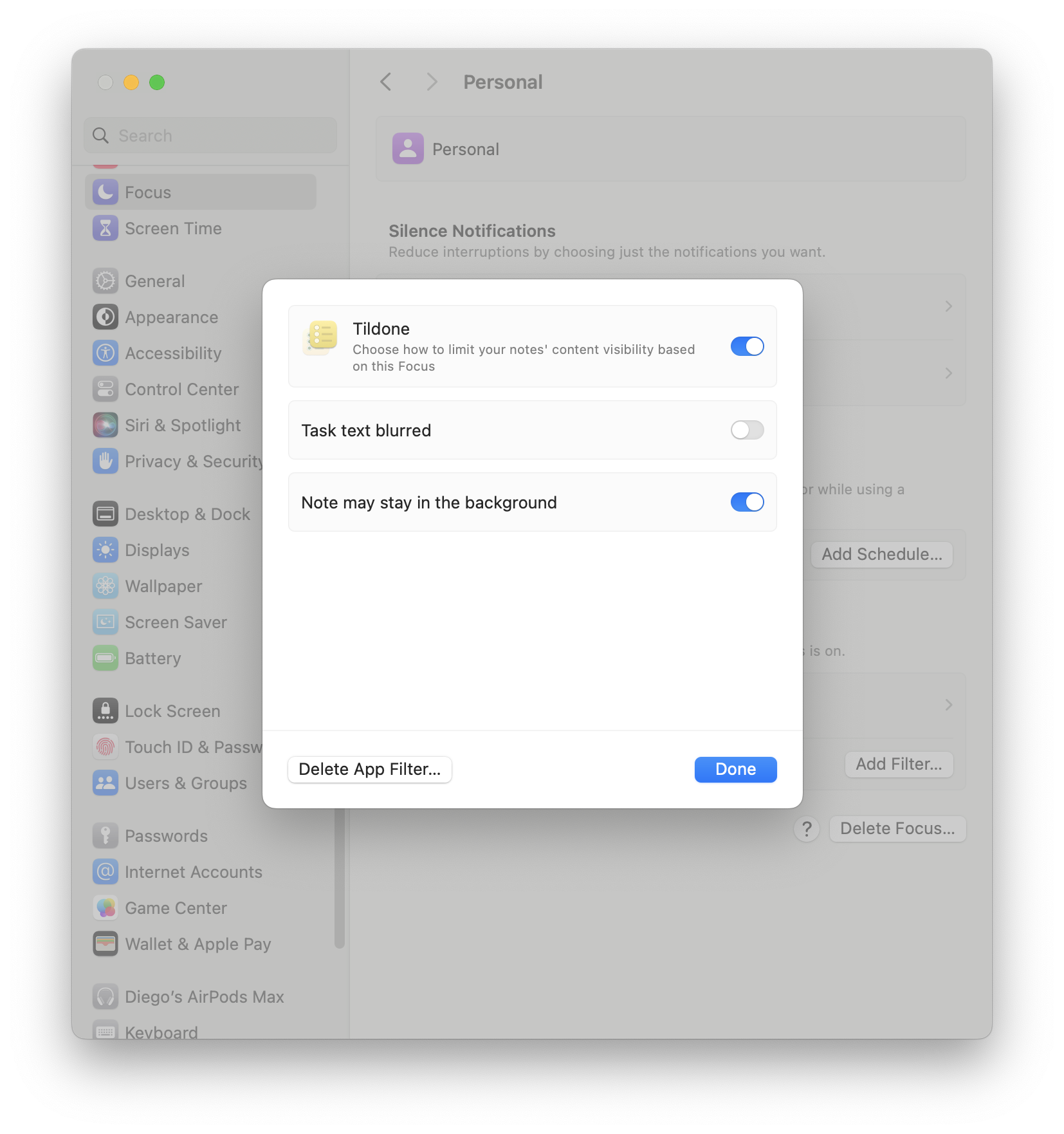
- Use Focus Filters to blur task text or keep notes quietly in the background
Why it is useful
Simple notes with just enough workflow
- Active notes can stay visible by default, so important tasks are harder to forget.
- Completed notes can fade away, keeping the desktop clear without extra cleanup.
- Tildone does not collect data, and Focus Filters help reduce distractions when needed.
Latest release: v1.6
This release introduces interface design improvements and minor bug fixes.

- Ability to change color and adjust the transparency of notes
- Enhanced keyboard navigation for the task list
Previous release: v1.5
This release includes some interface redesign and bug fixing.
Release notes- Restyle window buttons to standard
- Show topic on minimized notes
- Bug fixing
Previous release: v1.4
This release includes enhanced functions on note handling on the screen.
Release notes- Every note can now be minimized into a progress gauge
- Menu options and shortcuts from minimizing all notes or bring them back up
- Empty tasks in a note can be deleted from the keyboard
- Minor bug fixing (perhaps you didn't realize about)
Previous release: v1.3
This release includes an option to cancel note fading out when completed.
Release notes- Cancel completed note fading out
Previous release: v1.2
This release includes a new setting for changing tasks text font size, so notes are comfortable to read in different screen resolutions.
Release notes- Font size setting
- Core - For posting a review pointing out this need.
Previous release: v1.1
This release introduces major improvements such as using MacOS Focus Filters for blurring text on your notes (e.g. sharing your screen on a meeting) or letting your notes stay in the background, open Tildone automatically at login and support for new languages: Spanish, French and Chinese.
Release notes- Open at login
- Focus filters: notes in the background
- Focus filters: note text blurred
- Support for Spanish locale
- Support for French locale
- Support for Chinese locale
- Copy note content
- Paste clipboard contents into a note
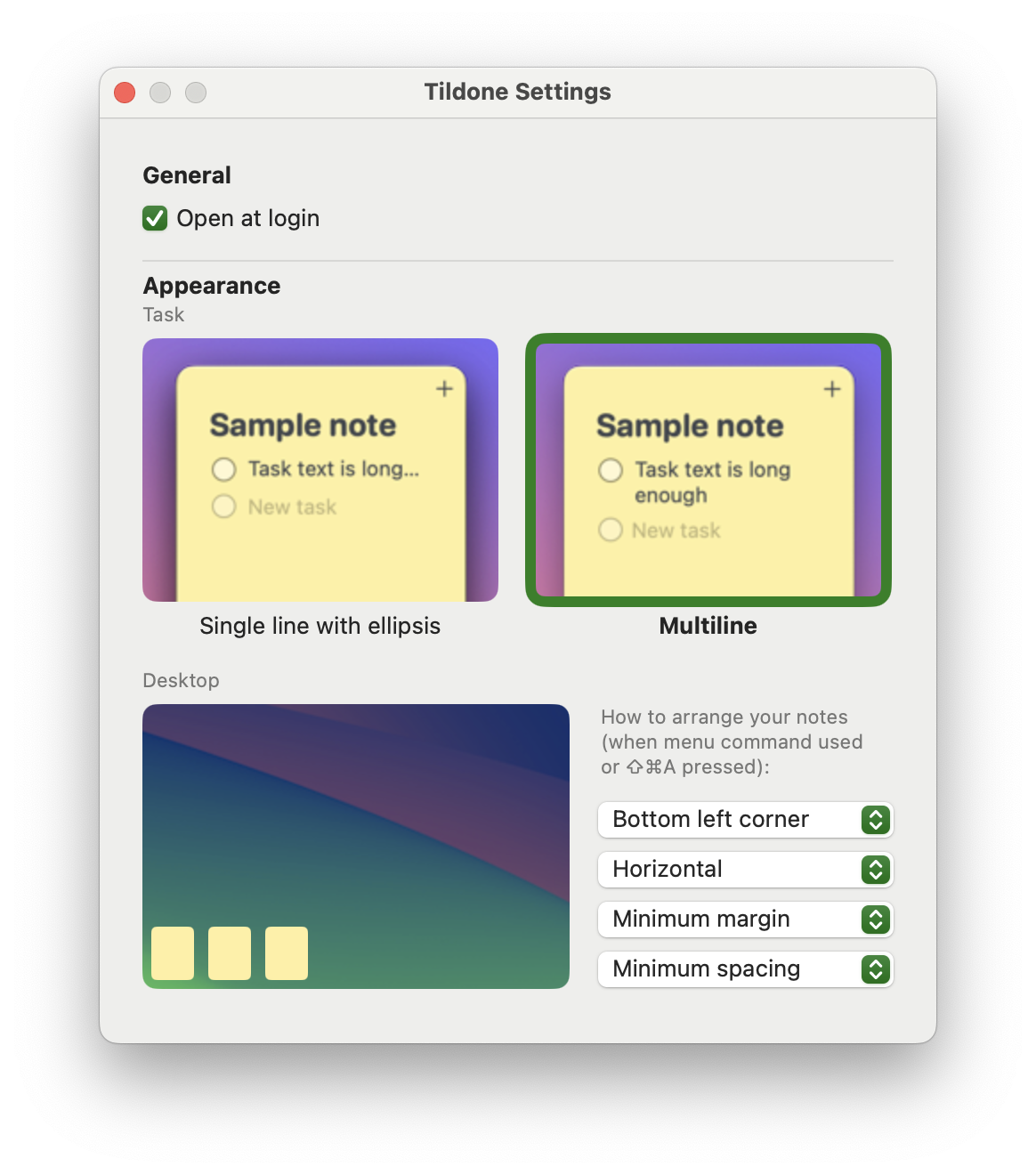
- Arrange notes on screen option
- Arrange notes settings
- Task line truncation setting
- Insert task above by pressing enter at the beginning of the line
- Delete empty text tasks by pressing delete or backspace keys
- Minor interface improvements
- Emily - For suggesting note topic hiding if empty (it shows when hovering first task)