Week number app for macOS
Know the current ISO week without opening a calendar.
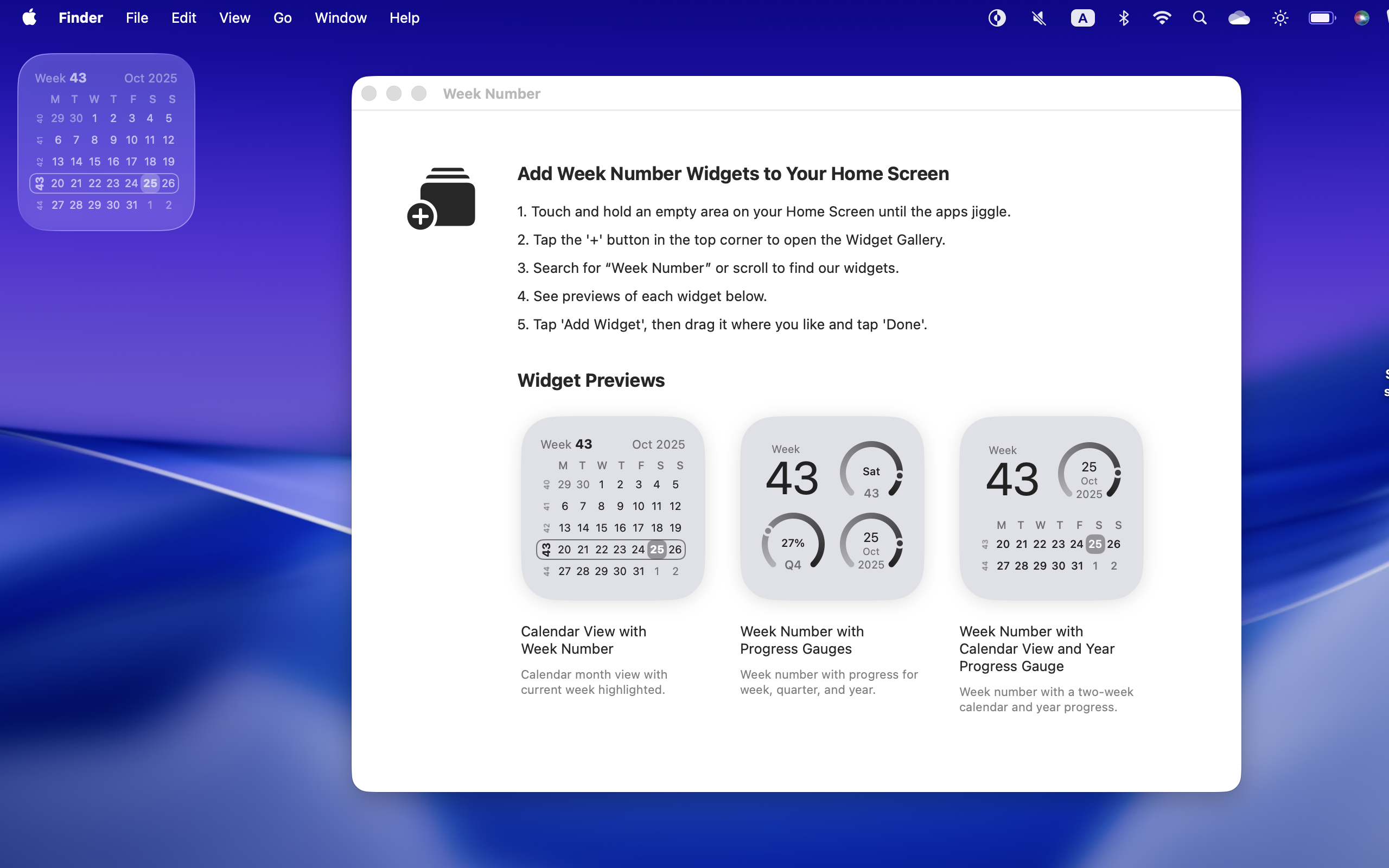
Week Number puts the current week where you already look: the menu bar, Dock, and native widgets. It is built for planning sprints, schedules, deadlines, academic weeks, and project cycles.
- Current ISO week in the menu bar and Dock
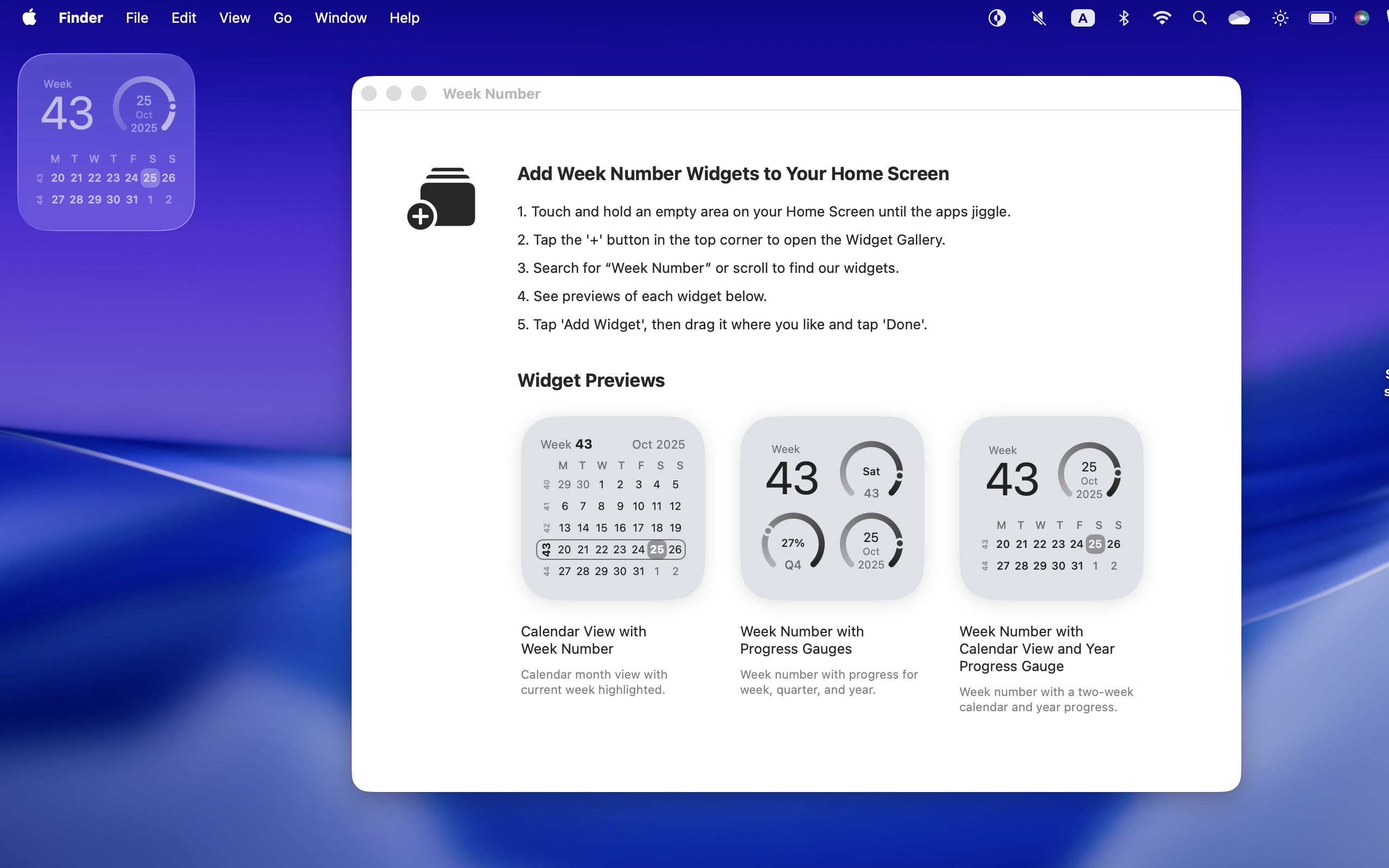
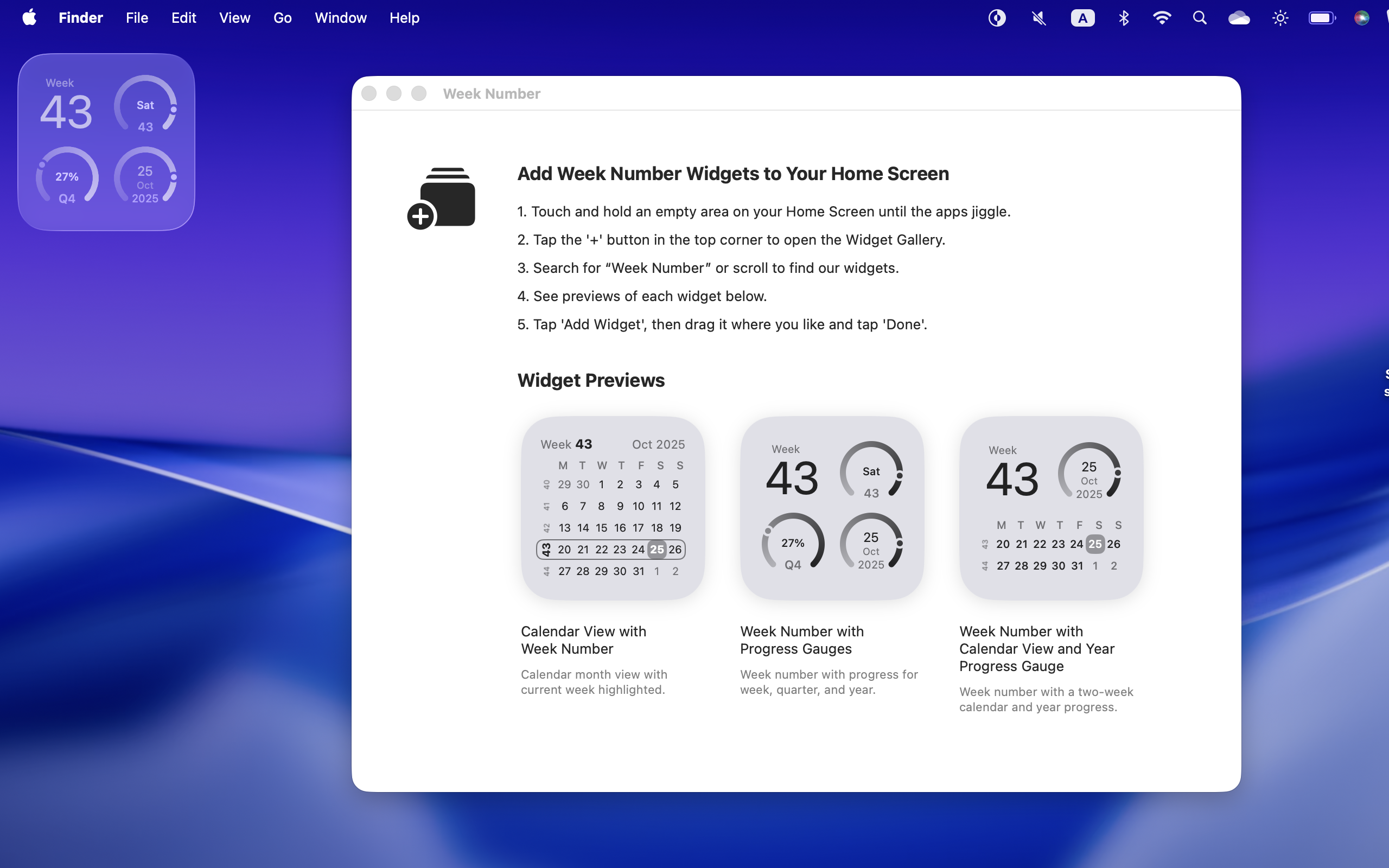
- Widgets for month context, week progress, quarter progress, and year progress
- Automatically follows your locale, time zone, and macOS appearance
How it helps
Planning by week, at a glance
Check the week instantly
See the current ISO week from the menu bar, Dock, or widget without opening Calendar.
Track progress
Use compact gauges to understand where you are in the week, quarter, and year.
Stay native
Week Number respects macOS appearance, locale, and time zone automatically.
Latest release: v1.5
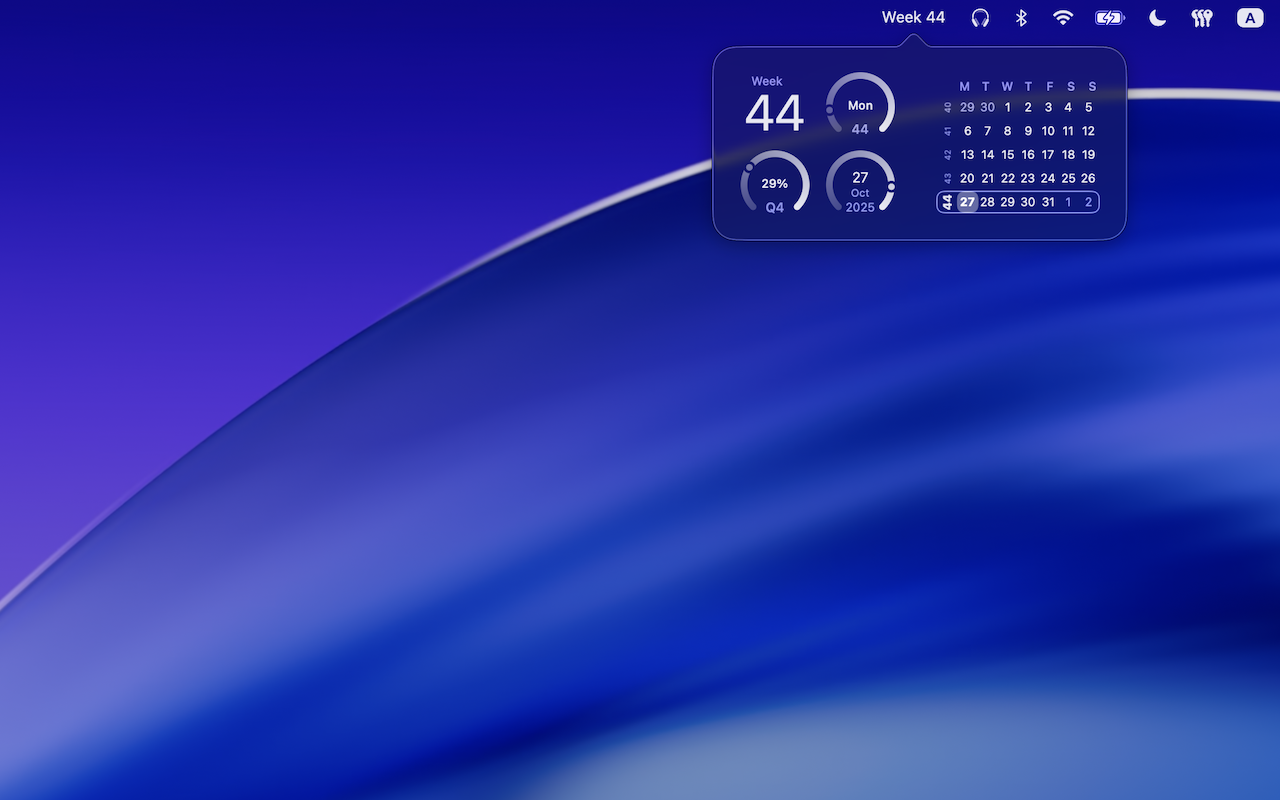
The hybrid widget now includes the previous week, so the compact calendar gives more immediate context around the current week.
Release notes
- Widget combining week number, year progress and mini calendar now shows the previous week
Previous release: v1.4
Widgets now open the Calendar app when tapped.
Release notes
- Open Calendar from widgets
Previous release: v1.3
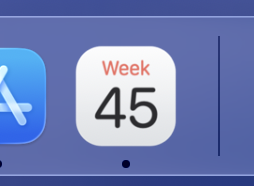
This release adds a dynamic Dock icon that shows the current week number.

Release notes
- Show current week number in the Dock icon
- Fix today number not visible in widgets on clear mode
- Fix week mismatch on locales in which the week starts on Sunday
Screenshots
Previous release: v1.2
This release adds a small but useful feature: the week number is now shown in the menu bar when the app is running.
Release notes
- Use an accent color and improve calendar view side week numbers readability
Previous release: v1.1
This release adds a small but useful feature: the week number is now shown in the menu bar when the app is running.
Release notes
- Simple status bar item with the week number
Screenshots
Previous release: v1.0
Which week is it? Settled.
This lightweight macOS app gives you three clear, preset widgets—no configuration, no fuss—so the week number is always in view.
What’s inside
- Month Calendar — Shows the current month and highlights the current week and today for instant context.
- Big Week + Progress — Displays the current week number in a large, readable style, plus three gauges for progress through the week, quarter, and year.
- Two-Week Focus — Big week number with a quarter progress gauge and a compact two-row calendar showing the current and next weeks.
Great for
- Scrum and sprint planning
- Academic weeks and timetables
- Project/release cycles and reporting periods
Place it, glance at it, get on with your day.
Screenshots